Login
Login
The Reference-First Workflow: Solving Identity Drift in AI Content Pipelines
Generative AI has reached a point where creating a single, breathtaking image is relatively trivial. Give a model like Flux or SDXL a descriptive prompt, and you will likely receive a high-fidelity result. However, for creators, marketers, and production teams, the challenge isn't the "one-off" masterpiece; it is the second, third, and fiftieth frame. The moment you need a character to walk from a sunny street into a dimly lit cafe while maintaining the exact same facial structure, clothing textures, and hair color, the cracks in a purely prompt-based workflow begin to show.
This phenomenon is often called "identity drift." Because diffusion models operate on probabilistic noise, they don't naturally "remember" what they drew five minutes ago. To combat this, professional workflows are shifting from text-to-image randomness toward a "reference-first" methodology. This approach prioritizes visual anchors—specific images that serve as the ground truth for every subsequent generation.
The Cost of Stochastic Inconsistency
In a traditional production environment, a character model or a product shot is a fixed asset. In the AI generation, everything is fluid. If you are building a social media campaign featuring a recurring brand ambassador, a 5% shift in the jawline or a slight change in the pattern of a shirt between two posts can break the illusion of reality. For an audience, these subtle inconsistencies trigger an "uncanny valley" response that signals the content is procedurally generated and potentially untrustworthy.
Solving this requires moving away from the "slot machine" mentality of prompting. Operators are now using tools like an AI Photo Editor to establish a "hero" image first, then using that image to guide the AI’s spatial and structural understanding of the subject. It is the difference between telling a sketch artist to "draw a man" and handing them a photograph and saying "draw this man in a different pose."
Establishing the Master Frame
The reference-first workflow begins with the creation of a Master Frame. This is the highest-quality, most representative version of your subject or scene. Instead of settling for a "close enough" generation from a text prompt, creators are using an AI Photo Editor to manually refine the initial output. This might involve using face-swapping features to lock in a specific identity or employing object erasers to remove "hallucinated" artifacts that would be impossible to replicate in future frames.
Once the Master Frame is established, it serves as the structural DNA for the rest of the project. This image is fed back into the pipeline as an "Image-to-Image" (Img2Img) reference. By keeping the denoising strength low, the AI is forced to respect the geometry of the original subject while only changing the lighting or the environment.
However, a significant limitation remains: even with a strong reference, diffusion models can struggle with extreme perspective shifts. If your Master Frame is a front-facing portrait, the AI may still struggle to accurately "imagine" the back of that character's head or a profile view without introducing new features. This is a point where manual intervention or multiple reference angles (a "character sheet") become necessary.
Sustaining Subject Identity via Inpainting
When the goal is to change the scene but keep the subject identical, global "Image-to-Image" generation is often too blunt a tool. If you change the prompt to "character in a forest" instead of "character in a city," the AI will likely alter the character's face to better "fit" the lighting of the forest.
To solve this, experienced teams use localized editing. By using an AI Image Editor for inpainting, you can mask the character and tell the AI to only regenerate the background. This ensures that the pixel data for the face and body remains untouched while the environment shifts around them.
This tactical use of an AI Image Editor is what separates amateur prompts from professional-grade assets. Instead of asking the AI to recreate the whole world every time, you are essentially treating the AI as a highly advanced layering and compositing engine. You lock down what works and iterate only on what needs to change.
Scene Stability and Environmental Continuity
Consistency isn't just about faces; it’s about the world the characters inhabit. "Scene drift" occurs when the architectural style of a room or the specific color grading of a landscape shifts between shots. In a video pipeline, this manifests as flickering or "morphing" backgrounds.
To maintain scene identity, operators often generate a panoramic "world" image first. This ultra-wide shot contains all the necessary environmental cues—the type of wood on the tables, the specific posters on the wall, the quality of light coming through the windows. When generating close-ups or mid-shots, fragments of this panoramic master are used as ControlNet inputs or reference layers.
There is a degree of uncertainty here, though. While we can control the "vibe" and "layout," AI still has a tendency to change small details—like the number of chairs at a table or the specific text on a sign—between generations. Expecting 1:1 pixel-perfect environmental continuity across dozens of disparate images is currently unrealistic without heavy manual compositing in post-production.
The Leap from Static to Kinetic: Video Continuity
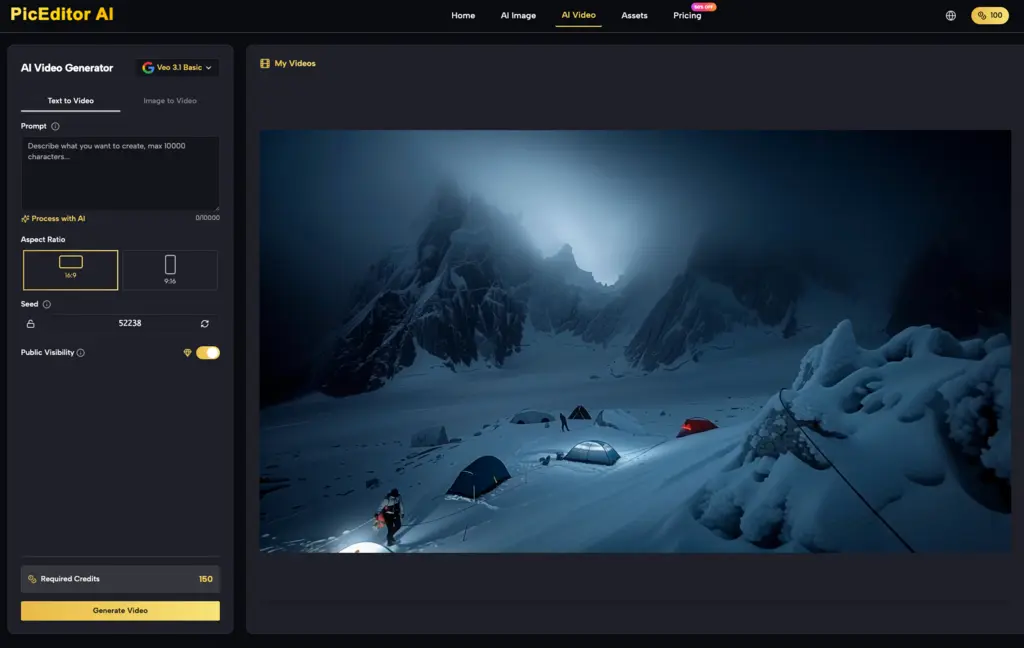
The hardest test for identity stability is the transition from image to video. Tools like Kling, Veo, and Runway have made it possible to animate static images, but the "temporal" aspect introduces a new layer of difficulty. A character that looks perfect in a still frame might "melt" or lose their facial features as they turn their head during a five-second video clip.
The current best practice involves a "Sandwich" workflow:
-
Generate the perfect still using a high-end AI Image Editor.
-
Use that still as the first frame in an Image-to-Video (I2V) generator.
-
If the video begins to drift toward the end, take the final frame, bring it back into an AI Photo Editor to "fix" the identity, and then use that fixed frame as the starting point for the next segment of video.
This iterative loop prevents the "DNA" of the character from degrading over time. It is a labor-intensive process, but it is the only way to ensure that a brand's visual identity survives the transition to motion. Even with these steps, creators must accept that temporal artifacts—small glimmers of light that shouldn't be there or hair that moves like liquid—are still common. We are not yet at the "zero-edit" stage of video production.
Practical Judgment: When to Automate and When to Edit
One of the biggest mistakes teams make is over-relying on the AI to "figure it out." If a character’s hand looks like a cluster of grapes, many creators will simply hit "regenerate" five times. A more efficient operator will take that image into an AI Photo Editor, use an object remover to clean up the hand, and then run a low-denoise pass to smooth it out.
The goal of a modern AI pipeline isn't to eliminate the human editor; it's to change the editor’s role from a "creator from scratch" to a "curator and refiner." By using the right mix of generative models and precise editing tools, teams can build repeatable workflows that produce content that actually looks like it belongs to the same universe.
The Reality of High-Stakes AI Production
We must be cautious about claiming that AI can perfectly replicate human-led CGI or photography pipelines today. The "identity" of a character in AI is still a fragile thing, held together by seeds, reference images, and careful masking. If the prompt is too long, the reference might be ignored. If the denoise is too high, the identity is lost. If it's too low, the image looks like a muddy version of the original.
Navigating this "Goldilocks zone" requires a deep understanding of the tools at hand. Whether you are using a specialized AI Image Editor to fix a stray pixel or a high-end video model to bring a scene to life, the secret is always in the reference. By anchoring your work in a single, high-quality "Master Frame," you move from the realm of digital accidents into the realm of intentional, directed creation.
The reference-first workflow isn't just a technical workaround; it’s a professional standard. As these tools become more integrated, the distance between "vision" and "execution" continues to shrink, provided we keep a firm hand on the steering wheel of identity and consistency.
Related Blogs
No related blogs found.